
Amtrak Mobile Redesign
Role:
Product Designer
Team:
4 Designers
Time:
October - November 2023
Skills:
UX Research
Interactive Design
Prototyping
Tools:
Figma
Figjam
CONTEXT
Brief
Amtrak is the national passenger rail service of the United States, providing travelers with a way to reach their destinations, particularly for long-distance journeys. This service focuses on offering convenience and alternative travel options for passengers.
Problem
Many users prefer using the Amtrak website over the mobile app, finding the app outdated, confusing, and difficult to navigate. This makes it challenging for users to quickly find what they need and undermines the overall trip experience. First-time riders often find boarding procedures stressful, and both new and frequent riders encounter issues throughout their travels, highlighting a clear need to improve the app’s layout, communication features, and overall usability.
USER RESEARCH
How might we relay Amtrak resources and information to users to develop a more positive travel experience?
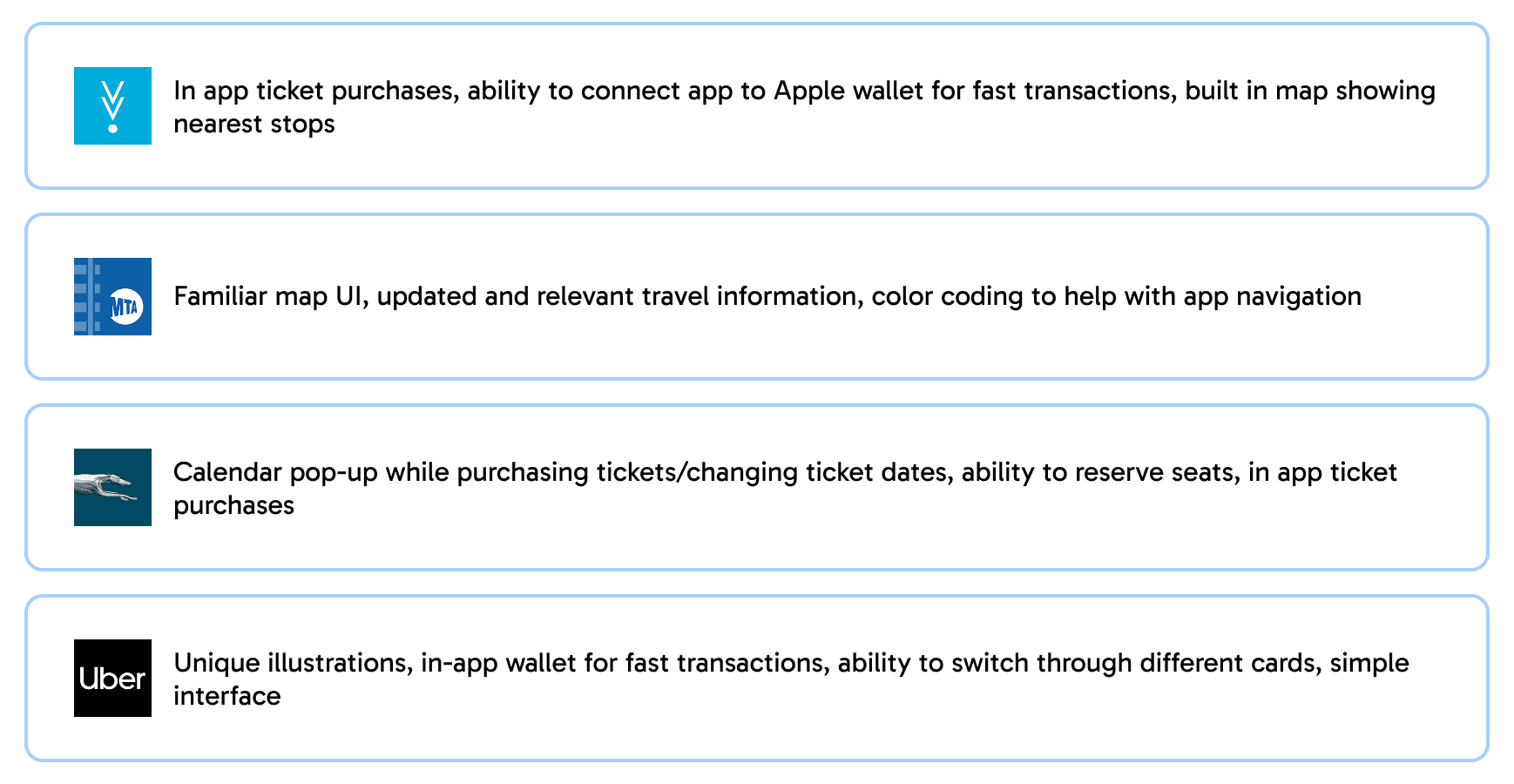
To better understand the UI of travel applications, we looked into Ventra, Metro, Greyhound, and Uber. We narrowed down features we liked in each of the applications.
User Interviews
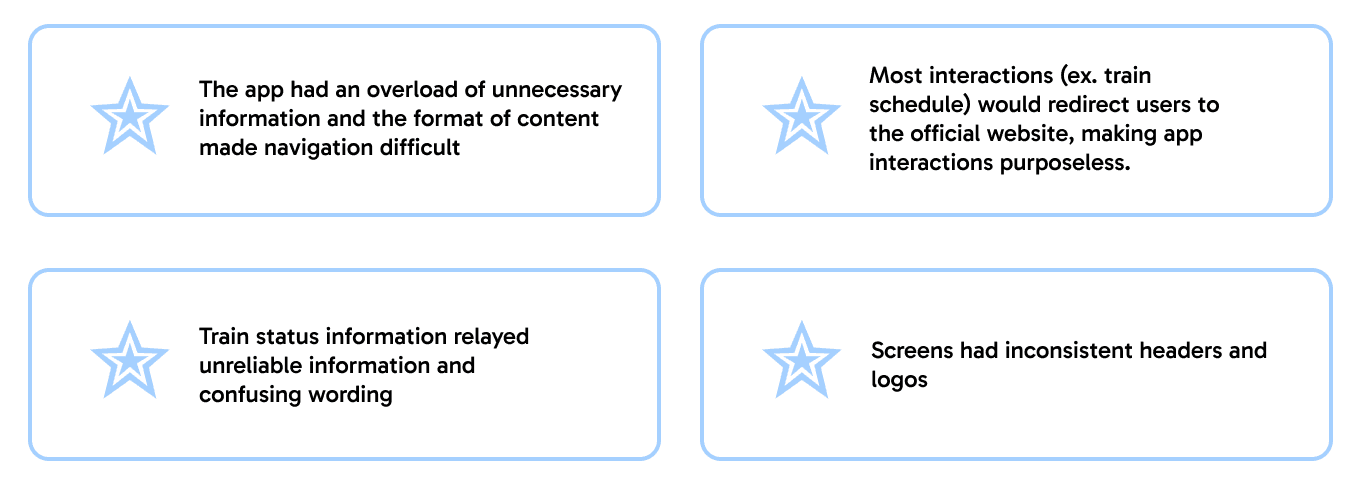
We conducted 10 user interviews to gain a better understanding of users personal experiences with Amtrak. After gathering data, we identified a few common pain points across our users.
DESIGN & USER TESTING
Sketches
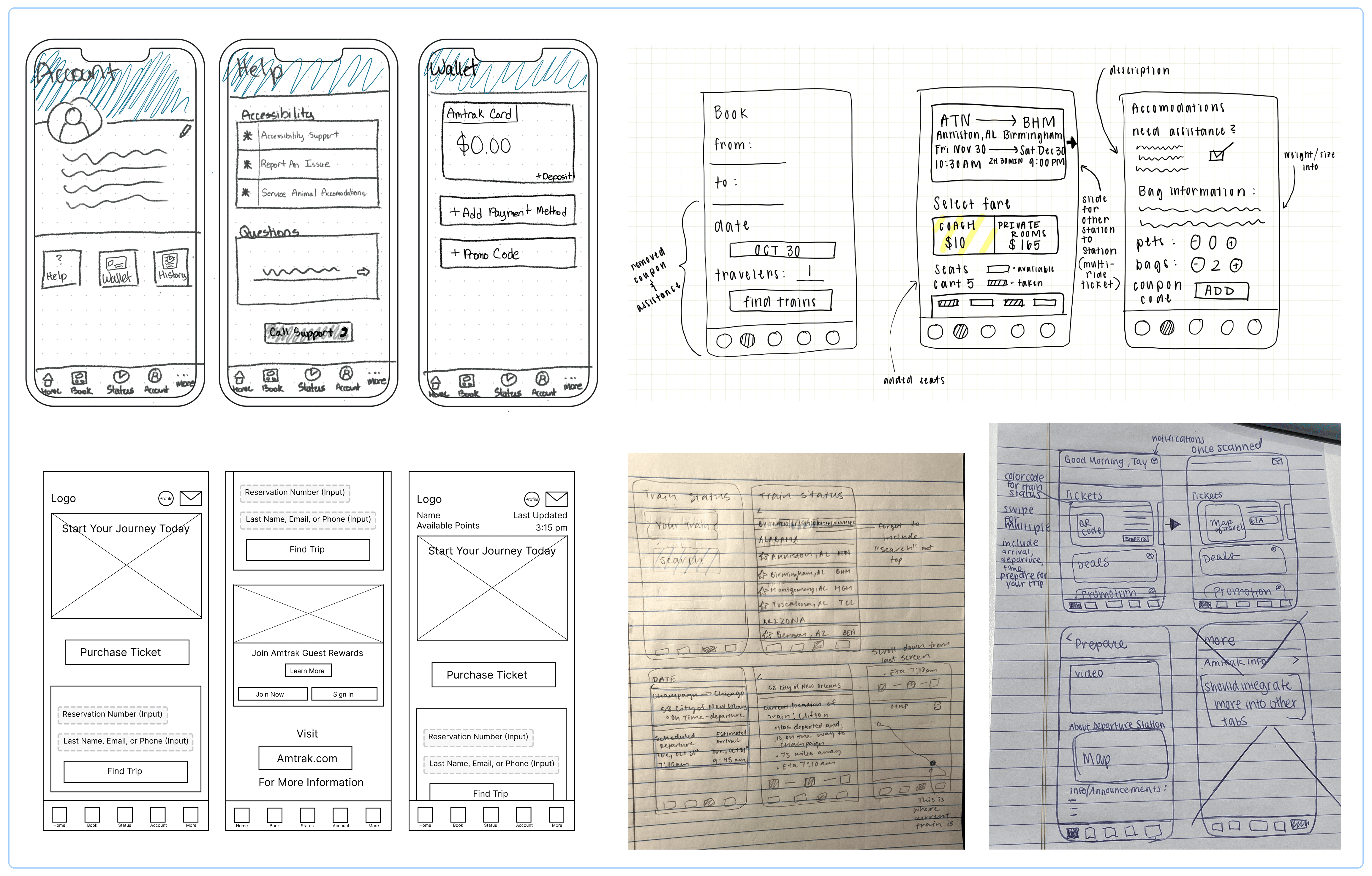
We created a few sketches based off of the insights and takeaways we've gathered from interviews, competitor analysis, and our pain point audit. These sketches were made with the intention of enhancing navigation and usability.
Mid-Fidelity Designs
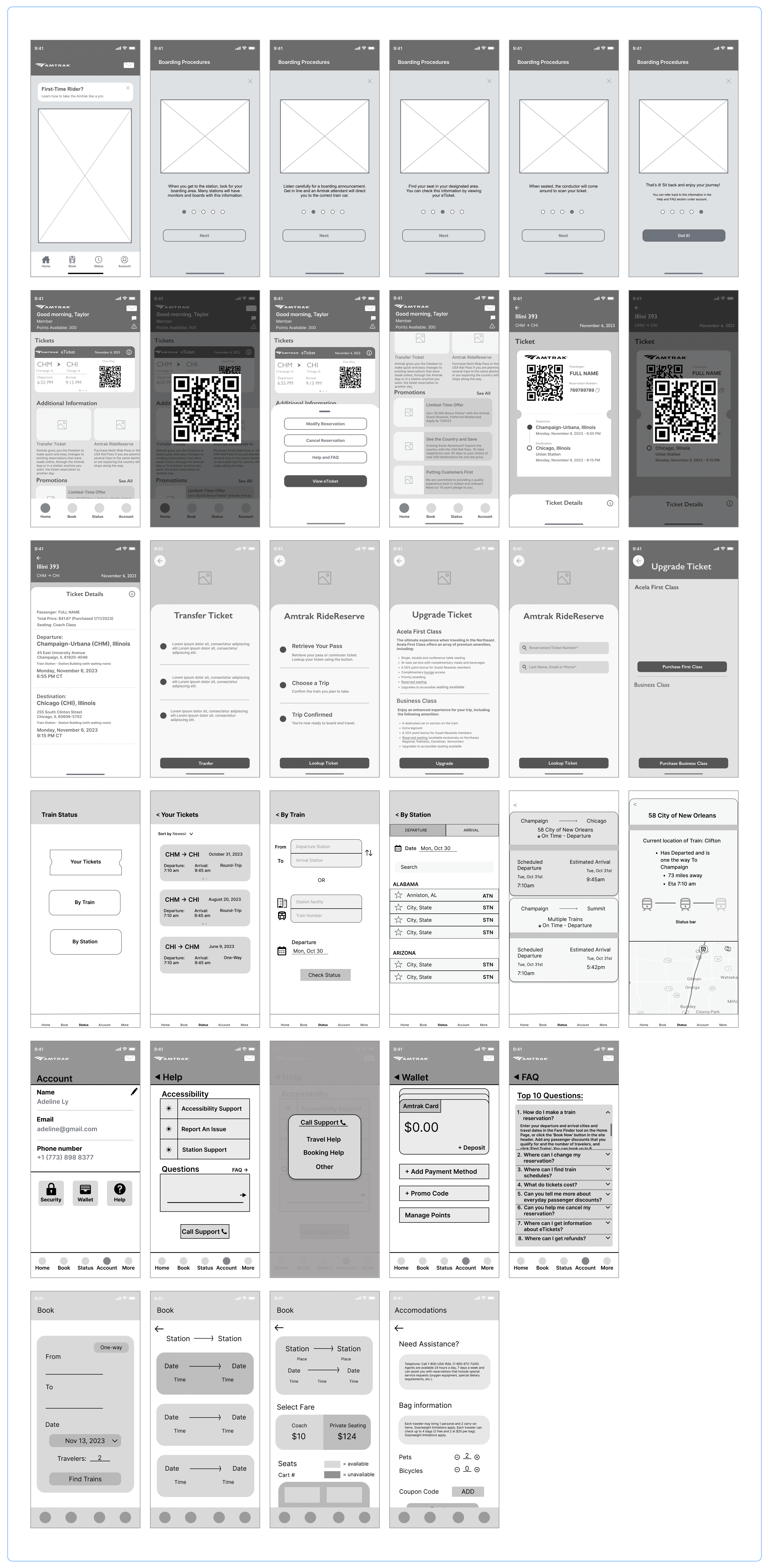
After sketching low-fidelity screens, we moved into mid-fidelity wireframes to build user flows and conduct testing. This stage allowed us iterate on new concepts and refine designs through continuous feedback and collaboration. Below are some of the key screens we developed.
FINAL DESIGNS
Onboarding Prototype
From our interviews, we discovered that new travelers often felt stressed during their first Amtrak experience, largely due to the challenging navigation of the Amtrak app and the lack of clear boarding instructions. To address this, we implemented an onboarding process that users can click through to better familiarize themselves with the necessary steps.
Home Prototype
Upon opening the Amtrak app, users were initially overwhelmed by numerous promotional deals. We repositioned the promotional information to the bottom and prioritized ticket details at the top. Additionally, we included a QR code to streamline the travel process. As users scroll down, they can easily edit their tickets as needed.
Booking Prototype
The booking screen had a confusing layout for sorting and filtering, included a section for special needs without space for users to input their requirements, and did not allow booking multiple trips simultaneously. Additionally, the navigation bar featured a “More” icon that housed items better suited for other screens. To improve accessibility and usability, we relocated those features while maintaining the overall design and focusing on targeted improvements.
Status Prototype
The original status screen lacked useful information, with vague messaging such as “Late trains often make up time and may arrive earlier than expected.” This ambiguity often led users to arrive at stations far too early. To improve the experience, we introduced a familiar map interface that lets riders track their train’s real-time location, helping them manage their schedules more effectively.
Account Prototype
Previously, the Amtrak app redirected users to the official website for account management, which created unnecessary friction and disrupted the in-app experience. To address this, we designed a dedicated account page within the app, allowing users to view and edit their personal information, payment methods, and travel preferences without leaving the platform.
REFLECTION
First time using Figma and doing anything related to UIUX.
This being my very first design project, I’ve realized just how much there is to learn. At the beginning, I felt overwhelmed and even struggled with imposter syndrome—I’m no artist, but I wanted to step out of my comfort zone and explore something new that sparked my interest. While the project may feel a little all over the place with some steps skipped, it opened my eyes to the design process, and I had a lot of fun learning along the way.
Vocalize your ideas
I worked alongside designers who, like me, were just being introduced to UI/UX. Most of them were already in art-related programs, while I was still exploring what I wanted to major in. Because of this, I initially felt hesitant to share my design ideas, worried they wouldn’t look “good enough” compared to what others might create. Over time, though, my eagerness to learn quickly outgrew that fear. Once I started speaking up, the experience became a lot more fun and collaborative. I enjoyed sharing my ideas, hearing my teammates’ perspectives, and even combining ideas to create stronger solutions together. This experience not only built my confidence but also showed me the value of teamwork in design—how different viewpoints can come together to make something better than what one person could do alone.
If I had more time…
I would have liked to explore more of the design process rather than rushing through to meet a deadline. There's just so much to design I feel like there's just never enough time to really soak it all in. Overall, this project gave me both confidence and curiosity. It showed me how much I still have to learn, but also reassured me that growth comes from trying, experimenting, and learning along the way. Most importantly, it reinforced my excitement for design and my desire to keep improving with each project I take on.